Affiliate Disclosure: Our mission is to provide honest reviews and find the best tech deals. To support our work, The Savvy Tech Shopper participates in affiliate marketing programs. This means we may earn a small commission when you purchase products through our links, at no extra cost to you
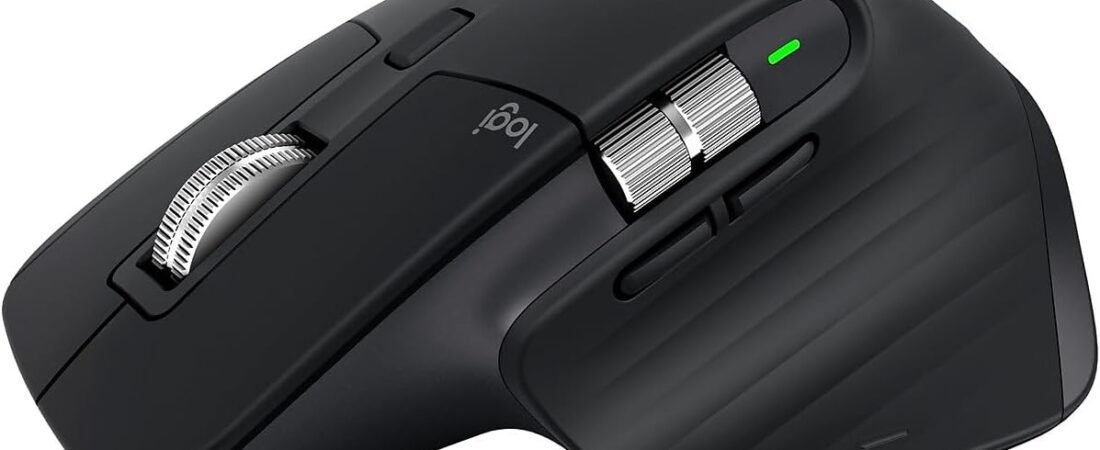
It’s finally happened. The successor to the legendary Logitech MX Master 3S is here: the MX Master 4 released back in September.r. It comes with all the bells and whistles we expected: a new “Actions Ring,” haptic feedback in the thumb rest, and a slightly tweaked design. But now that the hype has settled and we’ve had a few months to live with the successor, a surprising truth has emerged: the “old” king might still be the best mouse you can buy.
If you’re debating between splurging on the new model or snagging a deal on the “classic” MX Master 3S, here is why the 3S is still the savvy choice in 2025.
The Master 4 is Good, But Is It Necessary?
Don’t get me wrong, the Master 4 is a lovely piece of hardware. Logitech finally gave us a USB-C receiver (goodbye, USB-A adapters!) and they swapped the rubberized coating for a new textured plastic that won’t get “sticky” over time. The new Haptic Sense engine is cool—giving you little vibrations when you cross a spreadsheet boundary—but for many, it’s a feature looking for a problem.
The reality? The core “engine” of the mouse hasn’t changed. Both mice still run on a 125Hz polling rate (a sore spot for anyone hoping for a smoother screen response), and the battery life is identical. You are essentially paying a premium for vibrations and a circular menu system.
Why the MX Master 3S Wins on Value
With the release of the 4, the MX Master 3S has shifted from “premium flagship” to “unbeatable bargain.” Here is why it remains the productivity king:
- The Legendary Scroll Wheel: The MagSpeed Electromagnetic wheel on the 3S is still the gold standard. It scrolls 1,000 lines per second and is dead silent. The Master 4 uses a virtually identical mechanism. Why pay more for the same experience?
- Lighter Weight: Believe it or not, the 3S is actually lighter (141g) than the new Master 4 (150g). If you are dragging a mouse around for 8 hours a day, those 9 grams add up.
- Same 8K Sensor: The 3S already tracks on glass and boasts the same 8,000 DPI sensor as the newer model. Your precision in Photoshop or Excel is exactly the same on both devices.
- Quiet Clicks: The “S” in 3S stood for “Silent,” and it remains one of the most satisfyingly quiet office mice ever made.

- Logitech MX Master 3S Standard Edition comes with a Logi Bolt USB receiver (dongle), and a USB-C charging cable (USB-A t…
- Install free Logi Options+ App to enable Logi AI Prompt Builder for your Logitech wireless mouse and keyboard setups
- 8K DPI Any-surface tracking: Use MX Master 3S cordless computer mouse to work on any surface – even glass (1) – with an …
Who Should Actually Buy the Master 4?
There are only two reasons to skip the 3S and buy the Master 4:
- You hate the rubber coating: If you have acidic sweat that turns rubber sticky after a year, the Master 4’s new materials are a valid upgrade.
- You need a USB-C dongle: If you refuse to live the dongle-life on your MacBook, the native USB-C receiver is nice to have (though Bluetooth on the 3S works perfectly fine).
The Verdict
In 2025, the smart money is still on the Logitech MX Master 3S. It delivers 95% of the performance of the new model for a significantly lower price. It’s ergonomically superior for many, just as precise, and remains the gold standard for getting things done.
Save the extra cash and put it toward a better mechanical keyboard or a nice desk mat. Long live the King.
Comparison
